AllProBuilder · By All Pro Buildings
Design your building. See it take shape.
Start with a practical layout, make it yours in 3D and 2D, then review the preliminary drawings and building information that move the conversation forward.

6 working starters + 4 reference examples · 3D + 2D · Preliminary floor plan, cut list and wall elevations
Ideas for your building
Choose a working starter
Choose a working starter to load its dimensions, colors and catalog openings. Plan previews show the current design; framing and foundation use current builder defaults. Historical reference examples with unsupported features are labeled below.
Start Blank
30 × 40 × 10 ft · steel-reference width × length × eave heightLoad this starter · current plan preview2-Car Garage
24 × 32 × 10 ft · steel-reference width × length × eave heightLoad this starter · current plan previewShop / Garage
30 × 40 × 12 ft · steel-reference width × length × eave heightLoad this starter · current plan previewMachine Shed
40 × 64 × 14 ft · steel-reference width × length × eave heightLoad this starter · current plan previewRV & Boat Storage
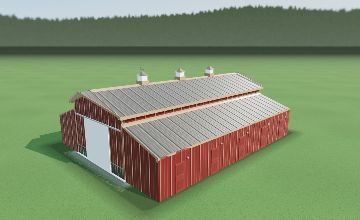
30 × 50 × 16 ft · steel-reference width × length × eave heightLoad this starter · current plan previewHay Barn (Open Sides)
40 × 60 × 14 ft · steel-reference width × length × eave heightLoad this starter · current plan preview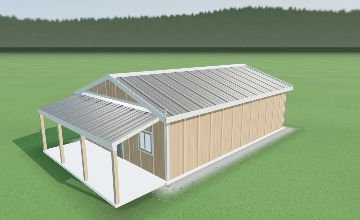
Workshop + Porch
24 × 36 × 10Reference example only. This example uses a front-gable porch, which is not available in the current builder.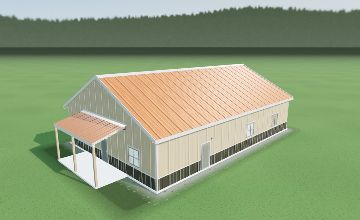
Barndominium Shell
40 × 60 × 12Reference example only. This example uses a centered front-gable entry porch, which is not available in the current builder.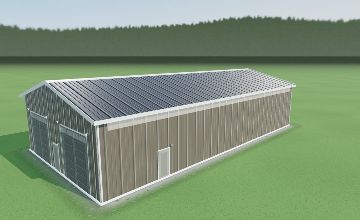
Commercial Shop
40 × 80 × 16Reference example only. This example uses side-wall eave-light bands, which are not available in the current builder.More clarity before the job starts
Move from idea to a better conversation
Shape it in 3D and 2D
Change dimensions, roof details, exterior colors, doors, windows, porches, and more while the building view keeps up.
Review preliminary documents
Use the floor plan, cut list, and wall elevations as design references. All Pro confirms issued field documents before work or cutting.
Save and share your design
Keep a browser-saved design and copy a share link when you are ready to discuss your building.
Choose
Open the builder and choose your building size.
Customize
Make the size, roof, openings, and exterior fit the job.
Review
Look over the 3D view and preliminary documents.
Share
Copy the design link when you are ready to discuss your building with All Pro.
Preliminary—not engineered. The Cut List covers field-sawn framing members and excludes purchased trusses. Confirm issued field documents before cutting.
Good to know
Questions
The tool is here to make the first pass more useful for you and for the All Pro team.
What can I customize?
Start with the building size and shape, then adjust roof details, colors, doors, windows, porches, overhangs, walls, and other available options.
Where is my design saved?
Your browser can save a design on the device you are using. A share link carries a sanitized version of the design for easy review.
Are the documents ready to build from?
No. The documents are preliminary planning tools. All Pro confirms issued field documents before work begins or material is cut.
How do I share a design for review?
Use Share design to copy a link with your building selections. Sharing the link does not submit a quote request.
Ready when you are
Bring a building idea into focus.
Open the tool, shape a design, and give All Pro a better starting point for the conversation.